Yep, we may get a tiny thank-you (read: commission) when you buy through
links on Techspotr — not enough for a yacht, but enough to keep the lights (and
servers) on.
Learn more
109
Highlights
44
Differences
8
Reactions
0
Likes
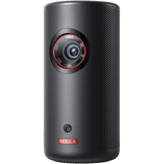
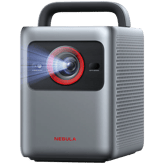
Nebula X1
vs
Nebula X1 Pro:
109 Highlights & 44 Differences —
So, Which Projector Actually Works Better
Discover how these 4K projectors stack up. Both offer impressive brightness and clarity for home theaters.
What sets Nebula X1 and Nebula X1 Pro apart? We looked at their native resolution, lens material, aperture size & focus type and key differences in this complete projectors face-off.
Image Scaling Engine Type: AI Upscaling
Defines the scaling engine used to upscale lower-resolution content to the projector’s native resolution.
with 1 points higher
Noise Reduction Type: AI-Based
Indicates the technique used to reduce visual noise and artifacts for a cleaner image.
with 21 points higher
Supports MEMC Mode
Motion interpolation for smooth fast-action content.
with a difference of 10 points
Color Wheel Speed (for DLP): 6x
Defines the rotational speed of the DLP color wheel, affecting color accuracy and rainbow artifact reduction.
with 85 points higher
Nebula X1 vs Nebula X1 Pro: A Detailed Showdown of Two Premium 4K Laser Projectors
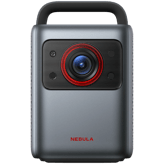
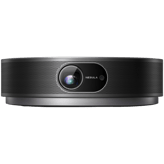
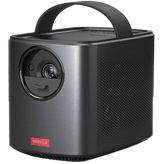
When it comes to high-end 4K laser projectors for home theater, gaming, and even outdoor use, the Nebula X1 and Nebula X1 Pro stand out as impressive contenders. Both models utilize DLP projection technology and native 4K resolution, delivering crisp and vibrant imagery at 3500 ANSI lumens brightness. They feature advanced laser light sources with a long lifespan of 30,000 hours in eco mode and smart AI enhancements like noise reduction and image upscaling. Yet these two projectors diverge significantly in portability, optical design, audio output, and price point; qualities that tailor each to slightly different audience needs.
The Compact Powerhouse: Nebula X1's Blend of Versatility and Portability
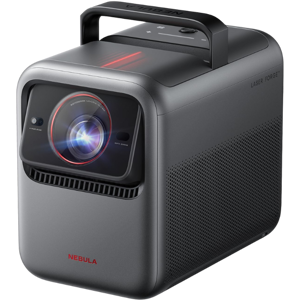
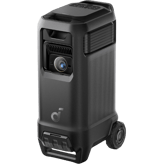
The Nebula X1 is a more compact and lightweight device, weighing just 13.7 lbs with dimensions that make it convenient for indoor and portable use. Unlike its Pro counterpart, it does not include a carry handle, nudging it towards home theater setups where mobility is nice but ruggedness isn't paramount.
One of the X1's distinguishing features is its flexible projection alignment options, supporting front, rear, ceiling, and tabletop projection. This makes it ideal for varied installation scenarios. Although it's a standard throw projector with a minimum throw distance of 5.4 feet, its robust digital zoom (1.1x-1.5x) and high-end optical zoom capabilities (1.6x-2.1x) allow quality image adjustments.
The projector impresses with its hybrid manual and auto focus system, featuring hybrid focus for user control and precision. Its Dolby Vision HDR support ensures stunning visuals, although it lacks the specified HDR peak brightness levels seen in the Pro.
Smart features include full Android TV with AirPlay and Chromecast for wireless casting, and Bluetooth 5.0 for connected accessories, plus a modest fan noise level of 26 dB, making viewing environments pleasant. Connectivity-wise, it provides diverse ports, including HDMI 2.1, 3.5mm audio out, Bluetooth audio output, and optical audio out, catering well to various AV systems.
Audio output is on the lower side with 40W stereo speakers, suitable for intimate rooms but less powerful for larger venues. At its price of around $2999 at Amazon, the X1 balances high-end specs with affordability.
Unleashing Premium Performance: What Makes Nebula X1 Pro a Top-Tier Contender
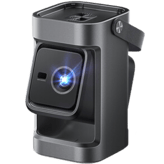
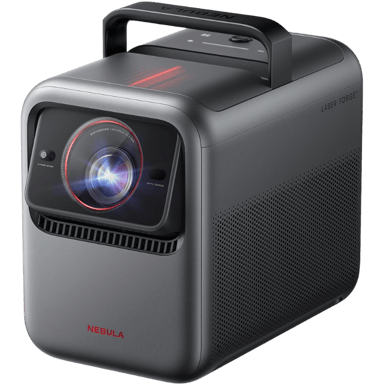
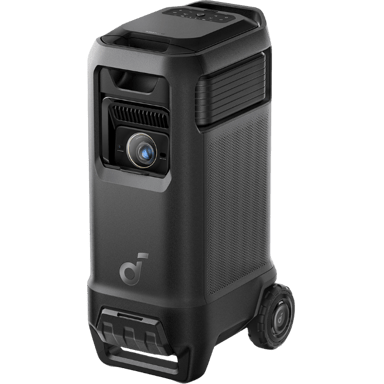
The Nebula X1 Pro is decidedly a flagship model, packing heft at 72.4 lbs and featuring a robust design with a built-in carry handle for rugged portability; perfect for large venues or outdoor events. Its short throw ratio spanning 0.5 to 1.0 with a minimum throw distance of 4 feet provides greater flexibility in tight spaces, capable of projecting images up to an impressive 300 inches.
On the imaging front, the X1 Pro supports both HDR10 and Dolby Vision, paired with explicit HDR peak brightness of 3500 lumens. This makes it a powerhouse for dynamic and high-contrast scenes. Its motion processing rates are higher (6-10), along with an ultra-fast 6x color wheel speed, delivering smoother, sharper images, especially for fast-action content.
Audio is where the X1 Pro truly shines, boasting a powerful 400W stereo system with surround processing to fill large spaces with rich sound; ideal for immersive movie nights or gaming marathons. It supports Bluetooth 5.2 and includes surge protection for safer operations in variable power environments.
The user interface is snappy, with a 2ms input switching speed and a streamlined control panel, plus the latest Android TV ecosystem. However, wireless casting is limited to Chromecast, unlike the more versatile X1.
All these premium features carry a steep price tag of approximately $4999 at Soundcore, reflecting its top-tier status.
Quick Take
The Nebula X1 impresses with a lightweight design, flexible projection options, and AirPlay compatibility at a much more approachable price. In contrast, the Nebula X1 Pro delivers outstanding image brilliance with dual HDR formats, short-throw versatility, and a powerful audio setup designed for large-scale presentations and cinematic experiences.
Bottom Line: Which Nebula Is Right For You?
For those prioritizing portability, flexible mounting, and excellent value, the Nebula X1 stands out as an exceptional home theater projector. On the other hand, if you seek uncompromising image quality with advanced HDR10 and Dolby Vision, powerful sound, plus short-throw capabilities for larger screens, the Nebula X1 Pro is undoubtedly worth the premium investment. Your choice boils down to weighing budget against advanced features and use environment.
Verdict
Winner: Nebula X1 Pro - Leading in image quality, short-throw flexibility, and immersive audio, perfect for enthusiasts and professional setups.
Runner-up: Nebula X1 - Offers broad versatility, portability, and excellent performance for most home users at a more affordable price point.
Side by side. The numbers. The features. No drama.
Is Nebula X1 better than Nebula X1 Pro? It depends on what you need. Our full projectors comparison looks at everything from specs and value to user experience — so you can make the smarter pick between these two projectors.
Nebula X1 uses an Imaging Chip Size of 0.47 inch, but this specification is not available for Nebula X1 Pro, indicating a difference in disclosed chip size.
Specifies the size of the imaging chip. Larger chips generally improve performance.
In the battle of Imaging Chip Size,
Nebula X1 ◉ is
same as
Nebula X1 Pro ◉
, delivering
equal
0.47 inch
measurement.
Don’t keep it to yourself — be the first to react and review the
Imaging Chip Size on Nebula X1 ◉
vs Nebula X1 Pro ◉ and help others decide!
What is the projection technology type of this projector?
69
Nebula X1
0Votes
DLP
70
Nebula X1 Pro
0Votes
DLP
vs
Projection Technology Type
The Projection Technology Type for Nebula X1 is DLP, whereas Nebula X1 Pro does not specify this value, so projection technology comparison is inconclusive.
Identifies the core imaging technology used.
In the battle of Projection Technology Type,
Nebula X1 ◉ is
worse than
Nebula X1 Pro ◉
, delivering
lower
1 score
measurement.
Don’t keep it to yourself — be the first to react and review the
Projection Technology Type on Nebula X1 ◉
vs Nebula X1 Pro ◉ and help others decide!
Nebula X1 has a Native Resolution of 4K, while Nebula X1 Pro supports a Maximum Supported Resolution of 4K, effectively offering similar resolution capabilities.
The true physical pixel resolution produced by the projector.
In the battle of Native Resolution,
Nebula X1 ◉ is
worse than
Nebula X1 Pro ◉
, delivering
lower
1 score
measurement.
Don’t keep it to yourself — be the first to react and review the
Native Resolution on Nebula X1 ◉
vs Nebula X1 Pro ◉ and help others decide!
What is the maximum supported resolution of this projector?
89
Nebula X1
0Votes
4K
90
Nebula X1 Pro
0Votes
4K
Nebula X1
The projector supports a maximum resolution of 4K, delivering incredibly sharp and detailed images for an immersive viewing experience.
The highest resolution signal the projector can accept.
In the battle of Maximum Supported Resolution,
Nebula X1 ◉ is
worse than
Nebula X1 Pro ◉
, delivering
lower
1 score
measurement.
Don’t keep it to yourself — be the first to react and review the
Maximum Supported Resolution on Nebula X1 ◉
vs Nebula X1 Pro ◉ and help others decide!
Who knows?
0Votes
Nebula X1
(Help us out by suggesting one!)
3,500
lumen
0Votes
vs
HDR Peak Brightness
HDR Peak Brightness is not available for Nebula X1; however, Nebula X1 Pro specifies a Brightness Output of 3500 lumens, indicating pro model's brightness is clearly stated.
How bright the projector can go during HDR highlights.
Don’t keep it to yourself — be the first to react and review the
HDR Peak Brightness on Nebula X1 ◉
vs Nebula X1 Pro ◉ and help others decide!
Nebula X1 features a Refresh Rate of 60 Hz, while Nebula X1 Pro's refresh rate is not disclosed, making its refresh rate status unknown.
Determines motion smoothness for gaming and video.
In the battle of Refresh Rate,
Nebula X1 ◉ is
same as
Nebula X1 Pro ◉
, delivering
equal
60.00 Hz
measurement.
Don’t keep it to yourself — be the first to react and review the
Refresh Rate on Nebula X1 ◉
vs Nebula X1 Pro ◉ and help others decide!
Color Bit Depth
What is the color bit depth?
10
bit
0Votes
10
bit
0Votes
Nebula X1
The color bit depth is 10-bit, enabling the display of over 1 billion colors for smoother gradients and more accurate color representation.
Nebula X1 Pro
A color bit depth of 10 bit allows the projector to render over a billion colors, significantly improving gradient smoothness and color accuracy.
Determines how finely color gradients are rendered.
In the battle of Color Bit Depth,
Nebula X1 ◉ is
same as
Nebula X1 Pro ◉
, delivering
equal
10.00 bit
measurement.
Don’t keep it to yourself — be the first to react and review the
Color Bit Depth on Nebula X1 ◉
vs Nebula X1 Pro ◉ and help others decide!
HDR Format Support
What HDR formats does this projector support?
89
Nebula X1
0Votes
Dolby Vision
65
Nebula X1 Pro
0Votes
HDR10, Dolby Vision
Nebula X1
The projector supports Dolby Vision HDR format, providing superior contrast, brightness, and color rendition for compatible content.
Nebula X1 Pro
Supporting HDR formats HDR10 and Dolby Vision enables the projector to display a wider range of colors and contrast, resulting in more lifelike images.
Specifies which HDR formats the projector can display.
In the battle of HDR Format Support,
Nebula X1 ◉ is
better than
Nebula X1 Pro ◉
, delivering
higher
24 score
measurement.
Don’t keep it to yourself — be the first to react and review the
HDR Format Support on Nebula X1 ◉
vs Nebula X1 Pro ◉ and help others decide!
Contrast Ratio
What is the contrast ratio of this projector?
2
Nebula X1
0Votes
5,000:1
3
Nebula X1 Pro
0Votes
5,000:1
Nebula X1 Pro
A contrast ratio of 5,000:1 provides a good level of distinction between dark and light images, contributing to overall image clarity and depth.
Represents the difference between the darkest black and brightest white produced by the projector.
In the battle of Contrast Ratio,
Nebula X1 ◉ is
worse than
Nebula X1 Pro ◉
, delivering
lower
1 score
measurement.
Don’t keep it to yourself — be the first to react and review the
Contrast Ratio on Nebula X1 ◉
vs Nebula X1 Pro ◉ and help others decide!
Dynamic Contrast Ratio
Deep dynamic contrast at :val.
19
Nebula X1
0Votes
56,000:1
20
Nebula X1 Pro
0Votes
56,000:1
Nebula X1
The dynamic contrast ratio of 56,000:1 enhances the depth and detail of images by adjusting light output between scenes, resulting in deeper blacks and brighter whites.
What is the dynamic contrast ratio?
In the battle of Dynamic Contrast Ratio,
Nebula X1 ◉ is
worse than
Nebula X1 Pro ◉
, delivering
lower
1 score
measurement.
Don’t keep it to yourself — be the first to react and review the
Dynamic Contrast Ratio on Nebula X1 ◉
vs Nebula X1 Pro ◉ and help others decide!
Motion Processing Type
Smooth motion processing with level :val.
49
Nebula X1
0Votes
2–5 (Standard)
90
Nebula X1 Pro
0Votes
6–10 (High smoothing)
Nebula X1 Pro
High smoothing motion processing levels help reduce motion blur and judder in fast-moving images, providing a smoother and more fluid viewing experience.
What is the motion processing level?
In the battle of Motion Processing Type,
Nebula X1 ◉ is
worse than
Nebula X1 Pro ◉
, delivering
lower
41 score
measurement.
Don’t keep it to yourself — be the first to react and review the
Motion Processing Type on Nebula X1 ◉
vs Nebula X1 Pro ◉ and help others decide!
Brightness Output
What is the brightness output?
3,500
lumen
0Votes
3,500
lumen
1Votes
Indicates overall light output for visibility in ambient light.
In the battle of Brightness Output,
Nebula X1 ◉ is
same as
Nebula X1 Pro ◉
, delivering
equal
3,500.00 lumen
measurement.
Based on community votes for Brightness Output,
Nebula X1 ◉ earned
0 votes,
less than
Nebula X1 Pro ◉,
which got 1 votes.
Keystone Correction Vertical is 40 degrees on Nebula X1; this value is unavailable for Nebula X1 Pro, so vertical correction comparison is incomplete.
Vertical angle adjustment to correct image distortion.
In the battle of Keystone Correction Vertical,
Nebula X1 ◉ is
better than
Nebula X1 Pro ◉
, delivering
higher
15.0 degree
measurement.
Don’t keep it to yourself — be the first to react and review the
Keystone Correction Vertical on Nebula X1 ◉
vs Nebula X1 Pro ◉ and help others decide!
Nebula X1 supports Front, Rear, Ceiling, and Tabletop projection alignment types, while Nebula X1 Pro supports only Front projection alignment, making Nebula X1 more versatile.
Describes how the projector aligns with the screen.
In the battle of Projection Alignment Type,
Nebula X1 ◉ is
better than
Nebula X1 Pro ◉
, delivering
higher
3 score
measurement.
Don’t keep it to yourself — be the first to react and review the
Projection Alignment Type on Nebula X1 ◉
vs Nebula X1 Pro ◉ and help others decide!
In the battle of Screen Size Maximum,
Nebula X1 ◉ is
worse than
Nebula X1 Pro ◉
, delivering
lower
99.6 inch
measurement.
Don’t keep it to yourself — be the first to react and review the
Screen Size Maximum on Nebula X1 ◉
vs Nebula X1 Pro ◉ and help others decide!
Maximum Throw Distance
What is the maximum throw distance?
13.1
ft
0Votes
25
ft
0Votes
Nebula X1
The maximum throw distance is 13.1 feet (3.99 meters), defining the furthest distance at which the projector can cast a clear image.
Nebula X1 Pro
Maximum throw distance is 25 feet (7.62 meters), allowing projection on very large screens from considerable distances.
Maximum distance at which the projector can achieve a proper image.
In the battle of Maximum Throw Distance,
Nebula X1 ◉ is
worse than
Nebula X1 Pro ◉
, delivering
lower
11.9 ft
measurement.
Don’t keep it to yourself — be the first to react and review the
Maximum Throw Distance on Nebula X1 ◉
vs Nebula X1 Pro ◉ and help others decide!
Screen Size Minimum
What is the minimum supported screen size?
49.75
inch
0Votes
40
inch
0Votes
Nebula X1
The projector can display an image with a minimum screen size of 49.75 inches (126.37 cm).
This ensures a clear and visible picture even in smaller viewing environments.
Nebula X1 Pro
The minimum recommended screen size is 40 inches (101.6 cm), suitable for smaller rooms or personal viewing setups.
Smallest supported diagonal projection size.
In the battle of Screen Size Minimum,
Nebula X1 ◉ is
worse than
Nebula X1 Pro ◉
, delivering
higher
9.8 inch
measurement.
Don’t keep it to yourself — be the first to react and review the
Screen Size Minimum on Nebula X1 ◉
vs Nebula X1 Pro ◉ and help others decide!
Throw Ratio
Flexible placement with :val throw ratio.
69
Nebula X1
0Votes
1.0–1.5 (Standard)
75
Nebula X1 Pro
0Votes
0.5–1.0 (Short Throw),1.0–1.5 (Standard)
Nebula X1
With a throw ratio of 1.0–1.5 (Standard), this projector can cast a large image from a moderate distance, making it suitable for typical living room or media room setups.
What is the throw ratio?
In the battle of Throw Ratio,
Nebula X1 ◉ is
worse than
Nebula X1 Pro ◉
, delivering
lower
6 score
measurement.
Don’t keep it to yourself — be the first to react and review the
Throw Ratio on Nebula X1 ◉
vs Nebula X1 Pro ◉ and help others decide!
Short Throw
Does this projector support short throw usage?
No
0Votes
Nebula X1
No
0Votes
Nebula X1 Pro
Indicates whether the projector is designed for short-throw projection.
In the battle of Short Throw,
Nebula X1 ◉ is
same as
Nebula X1 Pro ◉
.
Don’t keep it to yourself — be the first to react and review the
Short Throw on Nebula X1 ◉
vs Nebula X1 Pro ◉ and help others decide!
Lens Shift Vertical
What is the vertical lens shift?
Who knows?
0Votes
Nebula X1
(Help us out by suggesting one!)
Who knows?
0Votes
Nebula X1 Pro
(Help us out by suggesting one!)
Vertical lens movement for distortion-free positioning.
Don’t keep it to yourself — be the first to react and review the
Lens Shift Vertical on Nebula X1 ◉
vs Nebula X1 Pro ◉ and help others decide!
Digital Zoom Level
Useful zoom reaching :valx.
64
Nebula X1
0Votes
1.1x–1.5x (Moderate)
65
Nebula X1 Pro
0Votes
1.1x–1.5x (Moderate)
What is the digital zoom level?
In the battle of Digital Zoom Level,
Nebula X1 ◉ is
worse than
Nebula X1 Pro ◉
, delivering
lower
1 score
measurement.
Don’t keep it to yourself — be the first to react and review the
Digital Zoom Level on Nebula X1 ◉
vs Nebula X1 Pro ◉ and help others decide!
Optical Zoom Level
High-quality optical zoom at :valx.
89
Nebula X1
0Votes
1.6x–2.1x (High-end)
90
Nebula X1 Pro
0Votes
1.6x–2.1x (High-end)
What is the optical zoom level?
In the battle of Optical Zoom Level,
Nebula X1 ◉ is
worse than
Nebula X1 Pro ◉
, delivering
lower
1 score
measurement.
Don’t keep it to yourself — be the first to react and review the
Optical Zoom Level on Nebula X1 ◉
vs Nebula X1 Pro ◉ and help others decide!
Who knows?
0Votes
Nebula X1
(Help us out by suggesting one!)
2
f-stop
0Votes
vs
Aperture Size
Aperture Size is not available for Nebula X1 while Nebula X1 Pro does not list this specification either, resulting in no aperture size information for both.
Specifies the optical aperture size affecting brightness and depth.
Don’t keep it to yourself — be the first to react and review the
Aperture Size on Nebula X1 ◉
vs Nebula X1 Pro ◉ and help others decide!
Does this projector include a lens protection cover?
No
0Votes
Nebula X1
No
0Votes
Nebula X1 Pro
vs
Lens Protection Cover
Neither Nebula X1 nor Nebula X1 Pro include a Lens Protection Cover, indicating no lens cover protection in both models.
Indicates whether the lens includes a physical protection cover.
In the battle of Lens Protection Cover,
Nebula X1 ◉ is
same as
Nebula X1 Pro ◉
.
Don’t keep it to yourself — be the first to react and review the
Lens Protection Cover on Nebula X1 ◉
vs Nebula X1 Pro ◉ and help others decide!
Lens Coating Type
What is the lens coating type?
69
Nebula X1
0Votes
Anti-Reflective
70
Nebula X1 Pro
0Votes
Anti-Reflective
Defines special coatings that enhance optical performance.
In the battle of Lens Coating Type,
Nebula X1 ◉ is
worse than
Nebula X1 Pro ◉
, delivering
lower
1 score
measurement.
Don’t keep it to yourself — be the first to react and review the
Lens Coating Type on Nebula X1 ◉
vs Nebula X1 Pro ◉ and help others decide!
Manual Focus Range
What is the manual focus range?
Who knows?
0Votes
Nebula X1
(Help us out by suggesting one!)
75
Nebula X1 Pro
0Votes
Digital fine adjustment
Indicates the distance range manual focus can adjust for.
Don’t keep it to yourself — be the first to react and review the
Manual Focus Range on Nebula X1 ◉
vs Nebula X1 Pro ◉ and help others decide!
Lens Motor Noise Level
What is the lens motor noise level?
Who knows?
0Votes
Nebula X1
(Help us out by suggesting one!)
25
dB
0Votes
Measures noise generated during lens adjustments.
Don’t keep it to yourself — be the first to react and review the
Lens Motor Noise Level on Nebula X1 ◉
vs Nebula X1 Pro ◉ and help others decide!
Dustproof Lens Design
Does this projector have a dustproof lens design?
Yes
0Votes
Nebula X1
Yes
0Votes
Nebula X1 Pro
Specifies whether the lens is designed to resist dust intrusion.
In the battle of Dustproof Lens Design,
Nebula X1 ◉ is
worse than
Nebula X1 Pro ◉
, delivering
lower
10 score
measurement.
Don’t keep it to yourself — be the first to react and review the
Dustproof Lens Design on Nebula X1 ◉
vs Nebula X1 Pro ◉ and help others decide!
Lens Replacement Compatibility
Is the lens replaceable?
No
0Votes
Nebula X1
No
0Votes
Nebula X1 Pro
Indicates whether the projector's lens can be replaced or upgraded.
In the battle of Lens Replacement Compatibility,
Nebula X1 ◉ is
same as
Nebula X1 Pro ◉
.
Don’t keep it to yourself — be the first to react and review the
Lens Replacement Compatibility on Nebula X1 ◉
vs Nebula X1 Pro ◉ and help others decide!
Light Source Lifetime in Normal Mode is 30,000 hours for Nebula X1; Nebula X1 Pro specifies 30,000 hours in Eco Mode, suggesting similar longevity though in different modes.
Estimated lifespan in standard usage mode.
In the battle of Light Source Lifetime Normal Mode,
Nebula X1 ◉ is
better than
Nebula X1 Pro ◉
, delivering
higher
10,000.0 hour
measurement.
Don’t keep it to yourself — be the first to react and review the
Light Source Lifetime Normal Mode on Nebula X1 ◉
vs Nebula X1 Pro ◉ and help others decide!
Estimated lifespan of the light source in eco mode.
In the battle of Light Source Lifetime Eco Mode,
Nebula X1 ◉ is
same as
Nebula X1 Pro ◉
, delivering
equal
30,000.00 hour
measurement.
Don’t keep it to yourself — be the first to react and review the
Light Source Lifetime Eco Mode on Nebula X1 ◉
vs Nebula X1 Pro ◉ and help others decide!
With an image processing bit depth of 12-bit, the projector can render incredibly fine gradations of color and tone, resulting in smoother and more realistic images.
Nebula X1 Pro
Image processing bit depth of 12 bit supports advanced image quality processing, allowing finer gradation and color depth adjustments.
Indicates color precision and gradient smoothness.
In the battle of Image Processing Bit Depth,
Nebula X1 ◉ is
same as
Nebula X1 Pro ◉
, delivering
equal
12.00 bit
measurement.
Don’t keep it to yourself — be the first to react and review the
Image Processing Bit Depth on Nebula X1 ◉
vs Nebula X1 Pro ◉ and help others decide!
What type of image scaling engine does this projector use?
99
Nebula X1
0Votes
AI Upscaling
100
Nebula X1 Pro
0Votes
AI Upscaling
vs
Image Scaling Engine Type
Image Scaling Engine Type is AI Upscaling for Nebula X1, but this is not mentioned for Nebula X1 Pro, so scaling engine comparison is lacking.
Defines the scaling engine used to upscale lower-resolution content to the projector’s native resolution.
In the battle of Image Scaling Engine Type,
Nebula X1 ◉ is
worse than
Nebula X1 Pro ◉
, delivering
lower
1 score
measurement.
Don’t keep it to yourself — be the first to react and review the
Image Scaling Engine Type on Nebula X1 ◉
vs Nebula X1 Pro ◉ and help others decide!
Auto Color Correction
Does this projector have auto color correction?
Yes
0Votes
Nebula X1
Yes
0Votes
Nebula X1 Pro
Nebula X1
The projector features automatic color correction, which intelligently adjusts the color balance to ensure accurate and vibrant images without manual intervention.
Nebula X1 Pro
Auto color correction automatically adjusts the color output to maintain accurate and consistent colors, improving overall image fidelity without user intervention.
Automatically adjusts colors for the best image quality.
In the battle of Auto Color Correction,
Nebula X1 ◉ is
worse than
Nebula X1 Pro ◉
, delivering
lower
10 score
measurement.
Don’t keep it to yourself — be the first to react and review the
Auto Color Correction on Nebula X1 ◉
vs Nebula X1 Pro ◉ and help others decide!
Color Wheel Speed (for DLP)
What is the color wheel speed of this projector?
0
Nebula X1
0Votes
-No-
85
Nebula X1 Pro
1Votes
6x
Defines the rotational speed of the DLP color wheel, affecting color accuracy and rainbow artifact reduction.
In the battle of Color Wheel Speed (for DLP),
Nebula X1 ◉ is
worse than
Nebula X1 Pro ◉
, delivering
lower
85 score
measurement.
Based on community votes for Color Wheel Speed (for DLP),
Nebula X1 ◉ earned
0 votes,
less than
Nebula X1 Pro ◉,
which got 1 votes.
What screen mirroring standard does this projector support?
54
Nebula X1
0Votes
Chromecast, AirPlay
50
Nebula X1 Pro
0Votes
Chromecast
vs
Screen Mirroring Standard
Nebula X1 supports Chromecast and AirPlay for Screen Mirroring, while Nebula X1 Pro lists Wireless Casting capabilities without detail on standards, making mirroring comparison unclear.
Specifies which standard is used for mirroring devices.
In the battle of Screen Mirroring Standard,
Nebula X1 ◉ is
better than
Nebula X1 Pro ◉
, delivering
higher
4 score
measurement.
Don’t keep it to yourself — be the first to react and review the
Screen Mirroring Standard on Nebula X1 ◉
vs Nebula X1 Pro ◉ and help others decide!
The projector supports Bluetooth version 5.0, offering faster speeds, longer range, and improved connectivity for wireless audio devices like speakers or headphones.
Nebula X1 Pro
Bluetooth version 5.2 provides improved connectivity, range, and energy efficiency compared to previous versions.
Indicates the Bluetooth protocol version for audio and accessories.
In the battle of Bluetooth Version,
Nebula X1 ◉ is
worse than
Nebula X1 Pro ◉
, delivering
lower
16 score
measurement.
Don’t keep it to yourself — be the first to react and review the
Bluetooth Version on Nebula X1 ◉
vs Nebula X1 Pro ◉ and help others decide!
90
Nebula X1
0Votes
Netflix, YouTube, Prime Video, Disney+, Hulu
93
Nebula X1 Pro
0Votes
Netflix, YouTube, Prime Video, Disney+
vs
Built-In Streaming Apps
Built-In Streaming Apps like Netflix, YouTube, Prime Video, Disney+, and Hulu are included in Nebula X1; Nebula X1 Pro does not list apps, so direct comparison is unavailable.
Lists available preinstalled streaming services.
In the battle of Built-In Streaming Apps,
Nebula X1 ◉ is
worse than
Nebula X1 Pro ◉
, delivering
lower
3 score
measurement.
Don’t keep it to yourself — be the first to react and review the
Built-In Streaming Apps on Nebula X1 ◉
vs Nebula X1 Pro ◉ and help others decide!
Does this projector include AI auto image optimization?
Yes
0Votes
Nebula X1
Yes
0Votes
Nebula X1 Pro
Nebula X1 Pro
AI auto image optimization automatically adjusts picture settings using artificial intelligence to enhance visual quality based on content and ambient conditions.
Automatically enhances image settings using AI.
In the battle of AI Auto Image Optimization,
Nebula X1 ◉ is
worse than
Nebula X1 Pro ◉
, delivering
lower
10 score
measurement.
Don’t keep it to yourself — be the first to react and review the
AI Auto Image Optimization on Nebula X1 ◉
vs Nebula X1 Pro ◉ and help others decide!
On-Device Storage Capacity is 32 GB for Nebula X1, but not specified for Nebula X1 Pro, leaving storage capacity comparison incomplete.
Amount of internal memory available for apps and media.
In the battle of On-Device Storage Capacity,
Nebula X1 ◉ is
same as
Nebula X1 Pro ◉
, delivering
equal
32.00 GB
measurement.
Don’t keep it to yourself — be the first to react and review the
On-Device Storage Capacity on Nebula X1 ◉
vs Nebula X1 Pro ◉ and help others decide!
Wi-Fi Band Support
What Wi-Fi bands does this projector support?
46
Nebula X1
0Votes
2.4GHz, 5GHz, Wi-Fi 6
30
Nebula X1 Pro
0Votes
2.4GHz, 5GHz
Nebula X1
The projector supports Wi-Fi 2.4GHz, 5GHz, and Wi-Fi 6 bands, ensuring robust and high-speed wireless connectivity for streaming and online features.
Nebula X1 Pro
Dual-band Wi-Fi support ensures stable and flexible wireless connectivity options.
Indicates the supported wireless frequency bands.
In the battle of Wi-Fi Band Support,
Nebula X1 ◉ is
better than
Nebula X1 Pro ◉
, delivering
higher
16 score
measurement.
Don’t keep it to yourself — be the first to react and review the
Wi-Fi Band Support on Nebula X1 ◉
vs Nebula X1 Pro ◉ and help others decide!
Wireless Casting
Does this projector support wireless casting?
Yes
0Votes
Nebula X1
Yes
0Votes
Nebula X1 Pro
Nebula X1 Pro
Wireless casting capability allows for seamless streaming and screen sharing from compatible devices without the need for cables, enhancing convenience and flexibility.
Indicates compatibility with casting protocols like Chromecast or AirPlay.
In the battle of Wireless Casting,
Nebula X1 ◉ is
worse than
Nebula X1 Pro ◉
, delivering
lower
10 score
measurement.
Don’t keep it to yourself — be the first to react and review the
Wireless Casting on Nebula X1 ◉
vs Nebula X1 Pro ◉ and help others decide!
Smart Calibration
Does this projector support smart calibration?
Yes
0Votes
Nebula X1
Yes
0Votes
Nebula X1 Pro
Nebula X1 Pro
Smart calibration facilitates automatic adjustments to optimize image quality based on environmental conditions.
Indicates whether calibration can be optimized automatically or via app.
In the battle of Smart Calibration,
Nebula X1 ◉ is
worse than
Nebula X1 Pro ◉
, delivering
lower
10 score
measurement.
Don’t keep it to yourself — be the first to react and review the
Smart Calibration on Nebula X1 ◉
vs Nebula X1 Pro ◉ and help others decide!
Software Update Method
What is the software update method?
99
Nebula X1
0Votes
OTA
100
Nebula X1 Pro
0Votes
OTA
Nebula X1
Software updates can be performed Over-The-Air (OTA), allowing for convenient and automatic updates directly via the internet to keep the projector's firmware current.
Describes how firmware updates are applied.
In the battle of Software Update Method,
Nebula X1 ◉ is
worse than
Nebula X1 Pro ◉
, delivering
lower
1 score
measurement.
Don’t keep it to yourself — be the first to react and review the
Software Update Method on Nebula X1 ◉
vs Nebula X1 Pro ◉ and help others decide!
What type of audio out port does this projector have?
79
Nebula X1
0Votes
3.5mm, Optical, Bluetooth
90
Nebula X1 Pro
0Votes
Optical, Bluetooth
vs
Audio Out Port Type
Audio Out Port Type on Nebula X1 includes 3.5mm, Optical, and Bluetooth; there is no such information for Nebula X1 Pro, so audio output type comparison cannot be made.
Indicates available audio output interfaces.
In the battle of Audio Out Port Type,
Nebula X1 ◉ is
worse than
Nebula X1 Pro ◉
, delivering
lower
11 score
measurement.
Don’t keep it to yourself — be the first to react and review the
Audio Out Port Type on Nebula X1 ◉
vs Nebula X1 Pro ◉ and help others decide!
RS-232 Port is not present on Nebula X1 and not indicated for Nebula X1 Pro, meaning both likely lack this port.
Indicates support for professional control and automation systems.
In the battle of RS-232 Port,
Nebula X1 ◉ is
same as
Nebula X1 Pro ◉
.
Don’t keep it to yourself — be the first to react and review the
RS-232 Port on Nebula X1 ◉
vs Nebula X1 Pro ◉ and help others decide!
HDMI Ports Count
How many HDMI ports does this projector have?
49
Nebula X1
0Votes
2
50
Nebula X1 Pro
0Votes
2
Nebula X1 Pro
This projector has 2 HDMI ports, facilitating multiple source device connections simultaneously.
Number of HDMI inputs available for digital video and audio.
In the battle of HDMI Ports Count,
Nebula X1 ◉ is
worse than
Nebula X1 Pro ◉
, delivering
lower
1 score
measurement.
Don’t keep it to yourself — be the first to react and review the
HDMI Ports Count on Nebula X1 ◉
vs Nebula X1 Pro ◉ and help others decide!
Optical Audio Output
Does this projector include an optical audio output?
Yes
0Votes
Nebula X1
Yes
0Votes
Nebula X1 Pro
Nebula X1 Pro
This projector supports optical audio output for high-quality digital sound transmission to compatible audio systems, ensuring clear and rich audio experience.
Indicates availability of optical audio interface for high-quality sound systems.
In the battle of Optical Audio Output,
Nebula X1 ◉ is
worse than
Nebula X1 Pro ◉
, delivering
lower
10 score
measurement.
Don’t keep it to yourself — be the first to react and review the
Optical Audio Output on Nebula X1 ◉
vs Nebula X1 Pro ◉ and help others decide!
USB Ports Count
How many USB ports does this projector have?
66
Nebula X1
0Votes
2
67
Nebula X1 Pro
0Votes
2
Indicates how many USB ports are available.
In the battle of USB Ports Count,
Nebula X1 ◉ is
worse than
Nebula X1 Pro ◉
, delivering
lower
1 score
measurement.
Don’t keep it to yourself — be the first to react and review the
USB Ports Count on Nebula X1 ◉
vs Nebula X1 Pro ◉ and help others decide!
Ethernet Port
Does this projector support Ethernet?
Yes
0Votes
Nebula X1
Yes
0Votes
Nebula X1 Pro
Indicates whether wired internet connectivity is available.
In the battle of Ethernet Port,
Nebula X1 ◉ is
worse than
Nebula X1 Pro ◉
, delivering
lower
10 score
measurement.
Don’t keep it to yourself — be the first to react and review the
Ethernet Port on Nebula X1 ◉
vs Nebula X1 Pro ◉ and help others decide!
VGA Port
Does this projector support VGA input?
No
0Votes
Nebula X1
No
0Votes
Nebula X1 Pro
Indicates presence of a VGA input for legacy devices.
In the battle of VGA Port,
Nebula X1 ◉ is
same as
Nebula X1 Pro ◉
.
Don’t keep it to yourself — be the first to react and review the
VGA Port on Nebula X1 ◉
vs Nebula X1 Pro ◉ and help others decide!
AV Composite Input
Does this projector offer AV composite input?
No
0Votes
Nebula X1
No
0Votes
Nebula X1 Pro
Indicates whether composite video input is available.
In the battle of AV Composite Input,
Nebula X1 ◉ is
same as
Nebula X1 Pro ◉
.
Don’t keep it to yourself — be the first to react and review the
AV Composite Input on Nebula X1 ◉
vs Nebula X1 Pro ◉ and help others decide!
12V Trigger Port
Does this projector have a 12V trigger port?
No
0Votes
Nebula X1
No
0Votes
Nebula X1 Pro
Used to control motorized screens and automation systems.
In the battle of 12V Trigger Port,
Nebula X1 ◉ is
same as
Nebula X1 Pro ◉
.
Don’t keep it to yourself — be the first to react and review the
12V Trigger Port on Nebula X1 ◉
vs Nebula X1 Pro ◉ and help others decide!
Wired Input Lag
What is the wired input lag?
Who knows?
0Votes
Nebula X1
(Help us out by suggesting one!)
20
ms
0Votes
Measures latency over wired connections, important for gaming.
Don’t keep it to yourself — be the first to react and review the
Wired Input Lag on Nebula X1 ◉
vs Nebula X1 Pro ◉ and help others decide!
What on-screen menu features does this projector offer?
72
Nebula X1
0Votes
Quick Settings, Advanced Settings, Icon-Based Menu
73
Nebula X1 Pro
0Votes
Quick Settings, Advanced Settings, Icon-Based Menu
vs
On-Screen Menu Features
On-Screen Menu Features include Quick Settings, Advanced Settings, and Icon-Based Menu on both Nebula X1 and Nebula X1 Pro, indicating similar menu functionality.
Describes navigational and functional features available inside the on-screen display (OSD) menu.
In the battle of On-Screen Menu Features,
Nebula X1 ◉ is
worse than
Nebula X1 Pro ◉
, delivering
lower
1 score
measurement.
Don’t keep it to yourself — be the first to react and review the
On-Screen Menu Features on Nebula X1 ◉
vs Nebula X1 Pro ◉ and help others decide!
Menu Navigation Style is Icon-Based on Nebula X1, while this specification is not available for Nebula X1 Pro, so interface style comparison is unavailable.
Defines how users navigate the on-screen interface.
In the battle of Menu Navigation Style,
Nebula X1 ◉ is
worse than
Nebula X1 Pro ◉
, delivering
lower
1 score
measurement.
Don’t keep it to yourself — be the first to react and review the
Menu Navigation Style on Nebula X1 ◉
vs Nebula X1 Pro ◉ and help others decide!
Power Consumption in Normal Mode is 300 Watts for Nebula X1, while Nebula X1 Pro consumes 300 Watts for Light Source Power Output, suggesting similar energy usage though in different contexts.
Average power usage while running at full performance.
In the battle of Power Consumption Normal Mode,
Nebula X1 ◉ is
same as
Nebula X1 Pro ◉
, delivering
equal
300.00 Watt
measurement.
Don’t keep it to yourself — be the first to react and review the
Power Consumption Normal Mode on Nebula X1 ◉
vs Nebula X1 Pro ◉ and help others decide!
Mounting Type options include Tabletop, Ceiling, Wall, and Tripod for Nebula X1, whereas Nebula X1 Pro features Tabletop, Ceiling, and Wall, showing Nebula X1 supports an additional Tripod mounting.
Describes available mounting configurations.
In the battle of Mounting Type,
Nebula X1 ◉ is
better than
Nebula X1 Pro ◉
, delivering
higher
2 score
measurement.
Don’t keep it to yourself — be the first to react and review the
Mounting Type on Nebula X1 ◉
vs Nebula X1 Pro ◉ and help others decide!
Is the projector compatible with ceiling mounting?
Yes
0Votes
Nebula X1
Yes
0Votes
Nebula X1 Pro
vs
Ceiling Mount Compatibility
Ceiling Mount Compatibility is confirmed as Yes for Nebula X1 but not specified for Nebula X1 Pro, so ceiling compatibility comparison cannot be concluded.
Indicates whether the projector supports ceiling mounting.
In the battle of Ceiling Mount Compatibility,
Nebula X1 ◉ is
worse than
Nebula X1 Pro ◉
, delivering
lower
10 score
measurement.
Don’t keep it to yourself — be the first to react and review the
Ceiling Mount Compatibility on Nebula X1 ◉
vs Nebula X1 Pro ◉ and help others decide!
What is the body ventilation design of this projector?
67
Nebula X1
0Votes
Front Vent, Side Vent, Rear Vent, Multi-Directional Vent
90
Nebula X1 Pro
0Votes
Multi-Directional Vent
Nebula X1 Pro
The body ventilation design with multi-directional vents helps efficient cooling from various directions, aiding thermal management for stable long-term operation.
Describes the airflow layout used to cool the internal components.
In the battle of Body Ventilation Design,
Nebula X1 ◉ is
worse than
Nebula X1 Pro ◉
, delivering
lower
23 score
measurement.
Don’t keep it to yourself — be the first to react and review the
Body Ventilation Design on Nebula X1 ◉
vs Nebula X1 Pro ◉ and help others decide!
Operating Temperature Minimum is 41 °F for Nebula X1 with no available data for Nebula X1 Pro, limiting minimum temperature comparison.
Minimum safe temperature at which the projector can operate.
In the battle of Operating Temperature Minimum,
Nebula X1 ◉ is
worse than
Nebula X1 Pro ◉
, delivering
higher
9.0 °F
measurement.
Don’t keep it to yourself — be the first to react and review the
Operating Temperature Minimum on Nebula X1 ◉
vs Nebula X1 Pro ◉ and help others decide!
Operating Temperature Maximum is 104 °F for Nebula X1 but is not specified for Nebula X1 Pro, so maximum temperature tolerance comparison is unknown.
Maximum safe temperature for normal operation.
In the battle of Operating Temperature Maximum,
Nebula X1 ◉ is
same as
Nebula X1 Pro ◉
, delivering
equal
104.00 °F
measurement.
Don’t keep it to yourself — be the first to react and review the
Operating Temperature Maximum on Nebula X1 ◉
vs Nebula X1 Pro ◉ and help others decide!
Storage Humidity Range for Nebula X1 is 5–90% RH, whereas Nebula X1 Pro supports a slightly broader range of 5–95% RH, indicating slightly better moisture tolerance in the pro model.
Humidity levels tolerated during storage.
In the battle of Storage Humidity Range,
Nebula X1 ◉ is
worse than
Nebula X1 Pro ◉
, delivering
lower
6 score
measurement.
Don’t keep it to yourself — be the first to react and review the
Storage Humidity Range on Nebula X1 ◉
vs Nebula X1 Pro ◉ and help others decide!
Storage Temperature Maximum
What is the maximum storage temperature?
140
°F
0Votes
140
°F
0Votes
Nebula X1 Pro
Storage temperature maximum is 140°F (60°C). Proper storage within this temperature ensures the longevity and reliability of the device components.
Maximum temperature the projector can handle when stored.
In the battle of Storage Temperature Maximum,
Nebula X1 ◉ is
same as
Nebula X1 Pro ◉
, delivering
equal
140.00 °F
measurement.
Don’t keep it to yourself — be the first to react and review the
Storage Temperature Maximum on Nebula X1 ◉
vs Nebula X1 Pro ◉ and help others decide!
Dust Resistance Rating
What is the dust resistance rating?
99
Nebula X1
0Votes
Enhanced
100
Nebula X1 Pro
0Votes
Enhanced
Nebula X1 Pro
Enhanced dust resistance helps protect internal components from dust accumulation, improving reliability and reducing maintenance needs.
Indicates how well the projector resists dust intrusion.
In the battle of Dust Resistance Rating,
Nebula X1 ◉ is
worse than
Nebula X1 Pro ◉
, delivering
lower
1 score
measurement.
Don’t keep it to yourself — be the first to react and review the
Dust Resistance Rating on Nebula X1 ◉
vs Nebula X1 Pro ◉ and help others decide!
Operating Humidity Range
What is the operating humidity range?
44
Nebula X1
0Votes
10–80% RH
40
Nebula X1 Pro
0Votes
10–90% RH
Acceptable humidity levels for proper operation.
In the battle of Operating Humidity Range,
Nebula X1 ◉ is
better than
Nebula X1 Pro ◉
, delivering
higher
4 score
measurement.
Don’t keep it to yourself — be the first to react and review the
Operating Humidity Range on Nebula X1 ◉
vs Nebula X1 Pro ◉ and help others decide!
Storage Temperature Minimum
What is the minimum storage temperature?
-4
°F
0Votes
-4
°F
0Votes
Minimum safe temperature for storing the projector.
In the battle of Storage Temperature Minimum,
Nebula X1 ◉ is
same as
Nebula X1 Pro ◉
, delivering
equal
-4.00 °F
measurement.
Don’t keep it to yourself — be the first to react and review the
Storage Temperature Minimum on Nebula X1 ◉
vs Nebula X1 Pro ◉ and help others decide!
Eco Mode Power Reduction Percentage
What is the eco mode power reduction percentage?
25
%
0Votes
30
%
0Votes
Amount of power saved when using eco mode.
In the battle of Eco Mode Power Reduction Percentage,
Nebula X1 ◉ is
worse than
Nebula X1 Pro ◉
, delivering
lower
5.0 %
measurement.
Don’t keep it to yourself — be the first to react and review the
Eco Mode Power Reduction Percentage on Nebula X1 ◉
vs Nebula X1 Pro ◉ and help others decide!
 Supermod
 Moderator

 Recaptor
 0
Cartling
0
Cartling